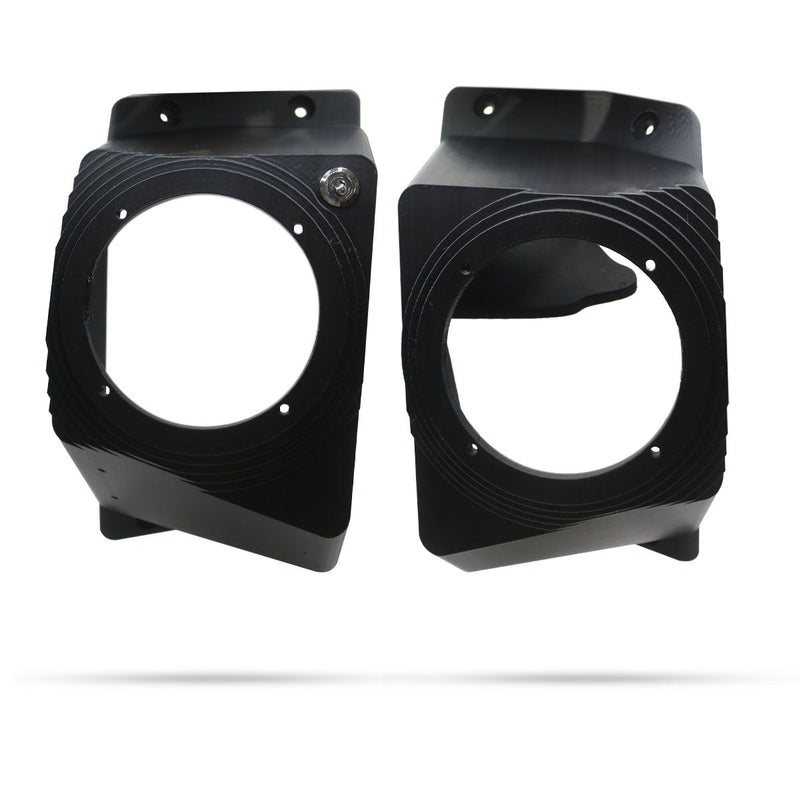
Load image into Gallery viewer, 2012 to 2025 Brute Force 300 Fender Speaker Housings Only

SKU: SH-2800

2012 to 2025 Brute Force 300 Fender Speaker Housings Only

Vendor Knight ATV
Regular price $249.99
Sale price $249.99 Regular price $249.99
Sale Sold out
Unit price
/per 
Shipping calculated at checkout.
Speaker Housings Color (+$30.00):
Black
Dark Gray
Gray
White
Bone
Red
Teal
Blue
Green
Pop Green
Army Green
Orange
Yellow
Purple
Olive Brown
Pop Blue
Dark Green Gray
Dark Purple
Pink
Army Brown
This is a pre order item. We will ship it when it comes in stock.

Features

Housings Only, No speakers or amplifier or wiring

Introducing our new innovative speaker housings for your ATV! Custom laser scanned and CAD designed speaker housings fit perfectly snug on your OEM fender plastics. These are speaker housings only so you can build your own speaker kit. These speaker housings fit 6.5" speakers.

Unique Features:

Custom fit. Laser scanned and 3D modeled specifically for Brute Force 300 ATV fender plastics.

Fits

    2012 to 2025 Brute Force 300

    Included

    Unloaded Housings Kit:

    • (2) Speaker Housings with waterproof on/off switch
    • Mounting Hardware

    Installation

    After you purchase your speakers and amp

    1. Place the left speaker housing (the one with the amplifier mounted inside it) on the left fender so that it sits flush against the surface, slide it around until you feel it set into its perfect location.
    2. Drill 4 holes into the fender for the mounting bolts, don't bolt it on yet.
    3. After that, notice where the wires will be, about center but a little lower than the speaker. Drill a hole near the bottom center of the speaker housing for the wiring harnesses.
    4. Push all the wires through and then mount the speaker housing to the fender. DO NOT over tighten the bolts to secure the housing to the fender plastic.
    5. Run the wires for the other speaker, and LED (if purchased), to the right speaker. Somewhere along the front of the quad, keep the wires away from moving and hot parts. Wait to secure these with cable ties until after the speakers are fully installed and tested.
    6. Line up the right speaker housing on the right fender. Drill the same holes as the left side.
    7. Push the wires from the left side through that center hole and connect the wires to the speaker and the LED (if purchased), make sure to line up the little arrows on the LED wires.
    8. Bolt the speaker to the fender, DO NOT over tighten the bolts.
    9. Run the Black and Red wire from the left speaker to your battery, connect the red wire to positive and black wire to negative.
    10. Turn it on and connect Bluetooth and test LED's
    11. Fasten all the wiring away from moving and hot parts using cable ties. Use duct tape or silicone to fill in around the holes that the wires come out of.
    12. Done! Go ride and enjoy!

    Full installation video installing one of our full speaker kits: